AdminSignal kit · Version 1.0
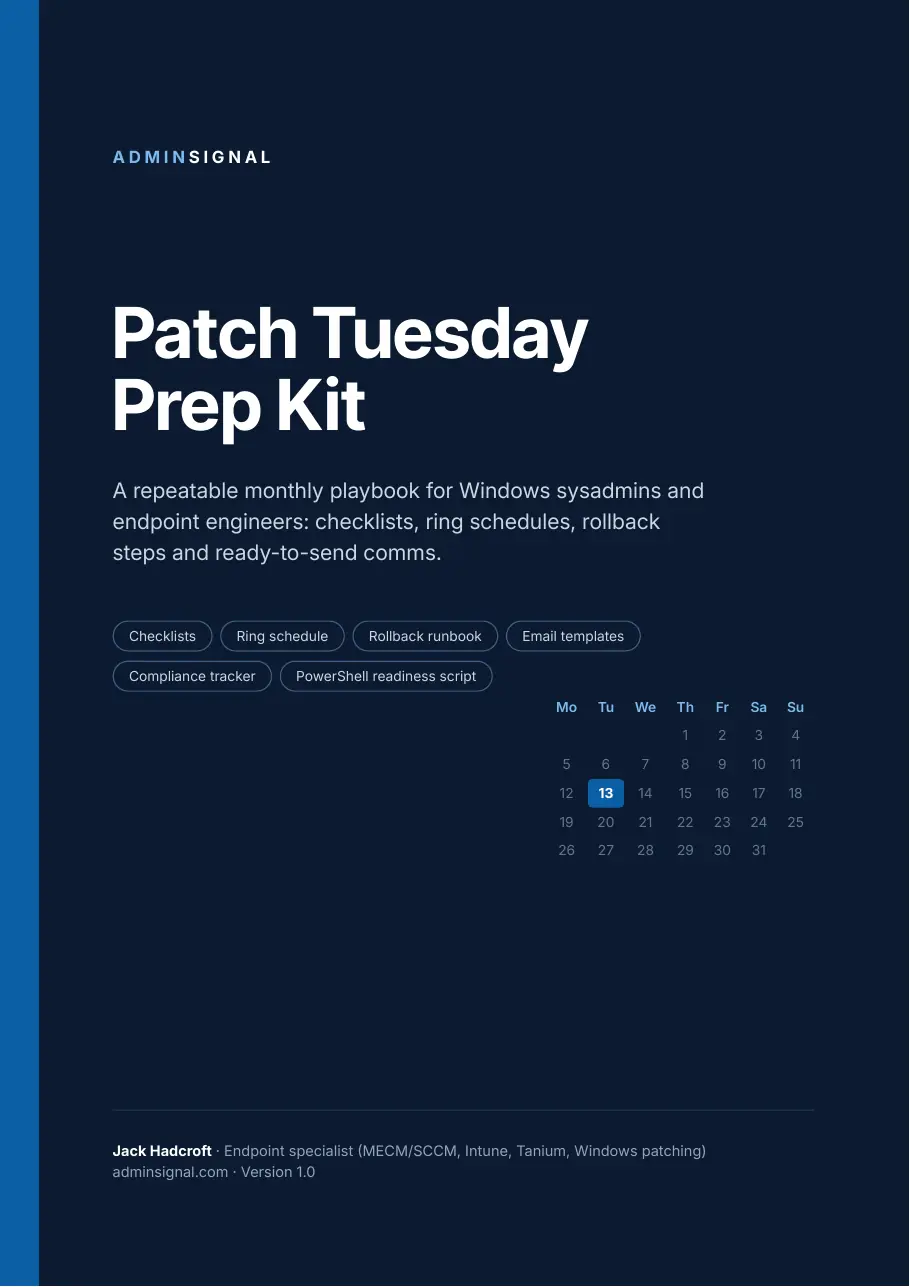
Patch Tuesday Prep Kit
Run every Patch Tuesday from the same playbook. Checklists, a ring schedule, a rollback runbook, ready-to-send emails and a read-only readiness script, for Configuration Manager, Intune, Tanium and WSUS.
- Run the same pre-release and release-day checklist every month
- Deploy by ring with gates you can defend to change management
- Pause and roll back in minutes when a KB misbehaves
- Send the change notice and completion email without rewriting them
Price includes VAT where it applies. Shown in your local currency at checkout.
Buy the kit for £19- Instant download: PDF, script and editable templates
- Licensed for you or your whole team
- 30-day money-back guarantee
- Receipt and invoice for expenses
Secure checkout by Stripe. AdminSignal never sees your card details.
Written by Jack Hadcroft, an endpoint specialist who runs MECM, Intune and Tanium patching day to day.


- 12-page PDF playbook
- Editable runbook and emails
- PowerShell 5.1 and 7
- No modules to install
- Team licence included
Patch Tuesday should not start from a blank page
The updates arrive on a schedule. The work around them usually does not.
Release evening is a scramble
The Security Update Guide drops at 18:00 UK time and the triage happens from memory. Zero-days, known-exploited CVEs and known issues get weighed differently every month.
Rollback is improvised
A pilot device misbehaves at 08:30 on Wednesday and someone searches for the WUSA syntax, then finds out the cumulative update needs DISM instead.
The emails get rewritten
The change notice, the service desk heads-up and the completion summary are typed from scratch, and the compliance numbers are pulled together on deadline day.
The kit turns that into a routine: the same checks on the same days, the same gates between rings, and a rollback you have already rehearsed on paper.
What's inside
Eight tools for the whole monthly cycle
The Patch Tuesday cadence
A month at a glance from T-7 to the fourth week, out-of-band handling, and a PowerShell one-liner that works out the second Tuesday for ADR and Tanium schedules.
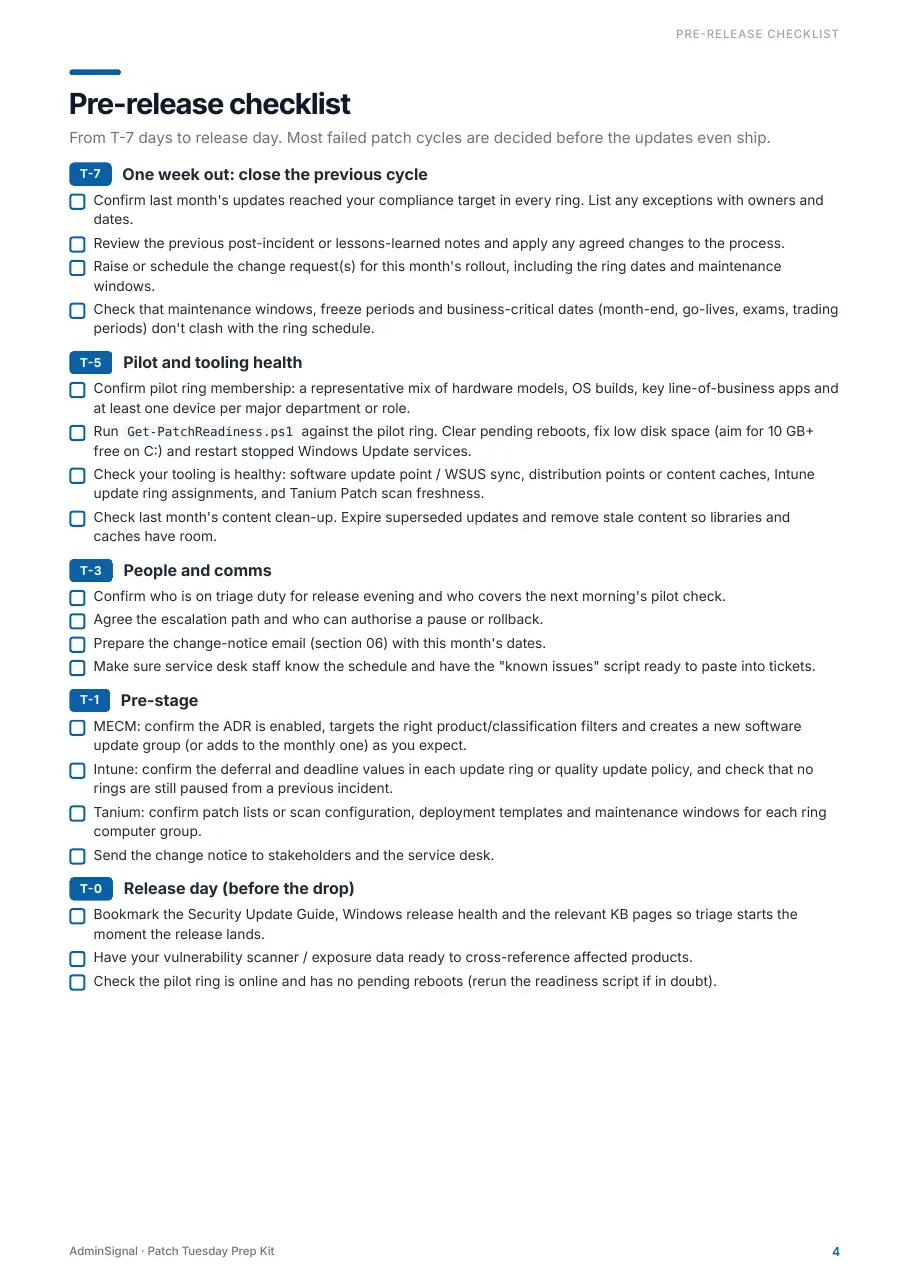
Pre-release checklist
T-7 to release day: close last cycle, check pilot and tooling health, line up triage cover and comms, pre-stage MECM, Intune and Tanium.
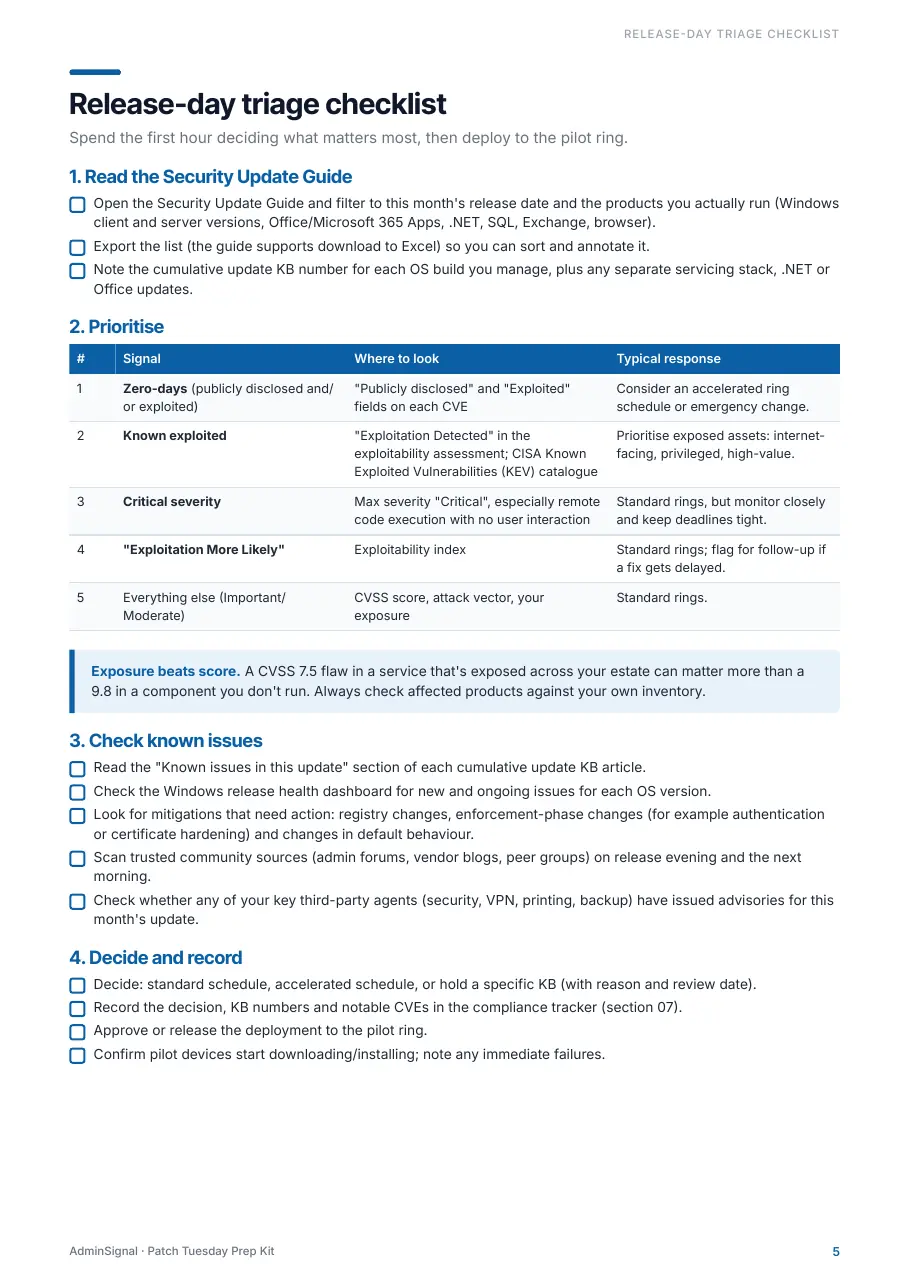
Release-day triage checklist
Read the Security Update Guide, prioritise zero-days, CISA KEV and critical CVEs, check known issues and third-party advisories, then decide and record.
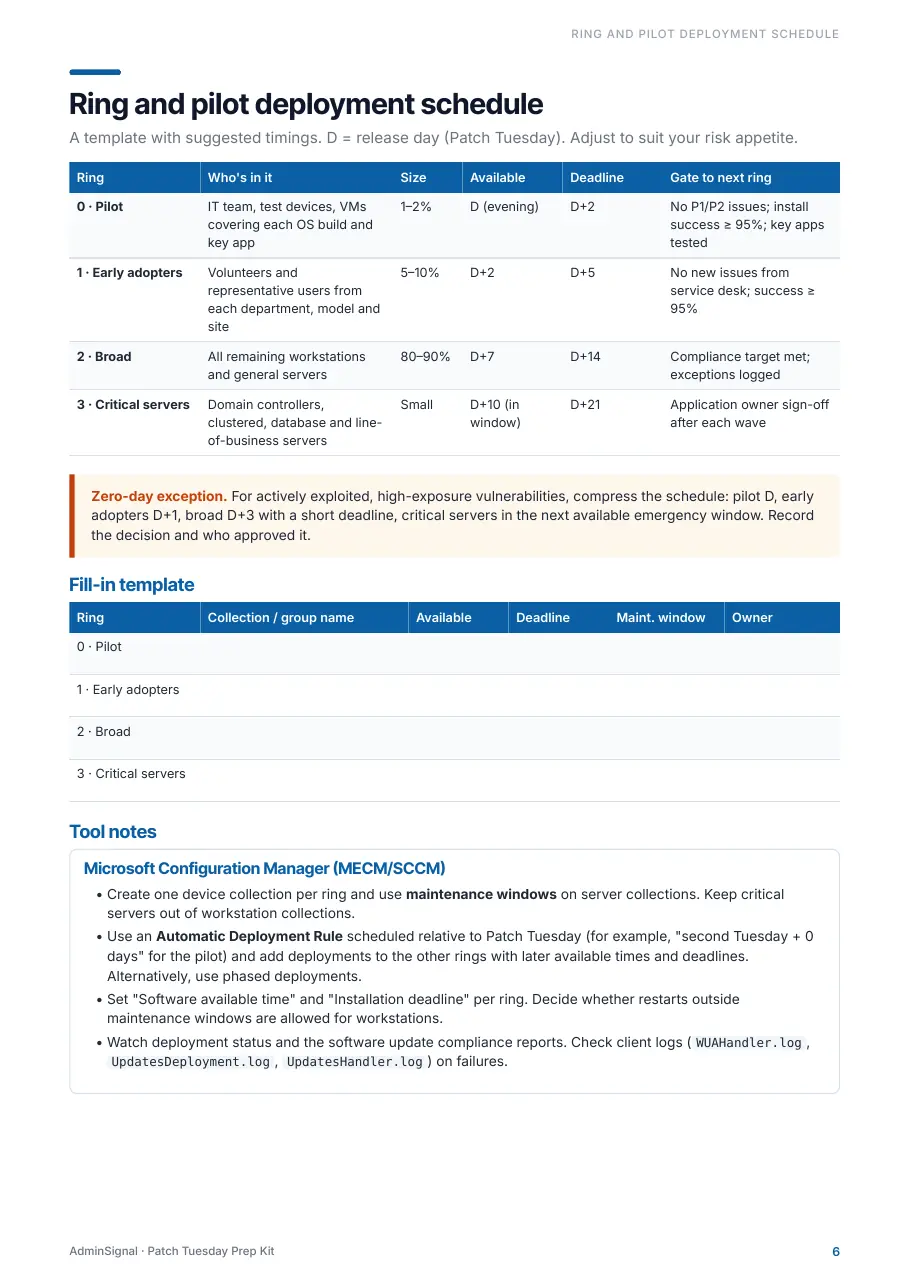
Ring and pilot schedule
Pilot, early adopters, broad and critical servers with sizes, deadlines and promotion gates, a zero-day fast path, and a fill-in table for your own collections.
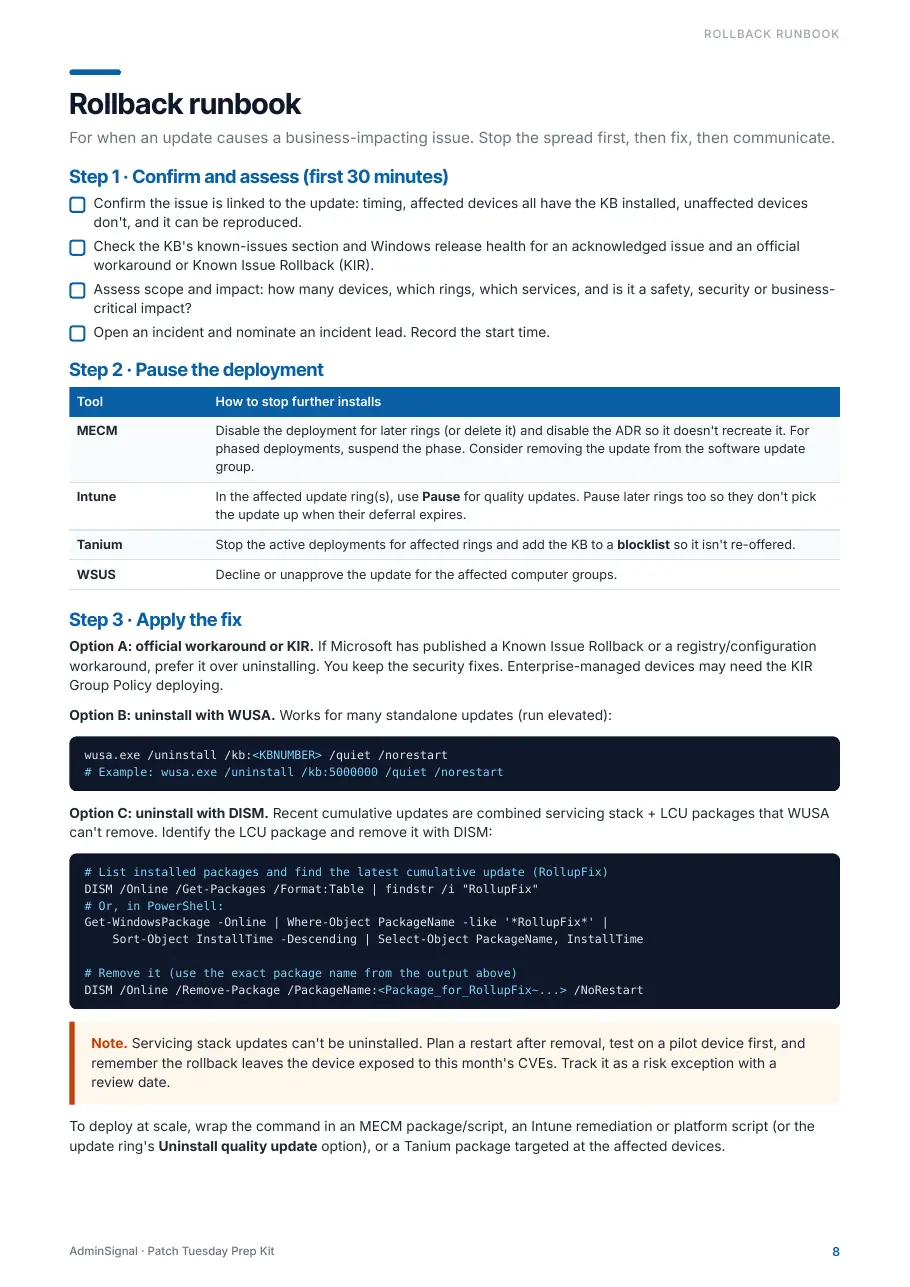
Rollback runbook
Confirm, pause, fix, communicate, resume, review. Pause steps for MECM, Intune, Tanium and WSUS; KIR first, then WUSA or DISM removal of the LCU.
Email templates
A T-1 change notice and a "patches deployed" completion notice with schedule, user impact, compliance and outstanding-device sections. Fill in the brackets and send.
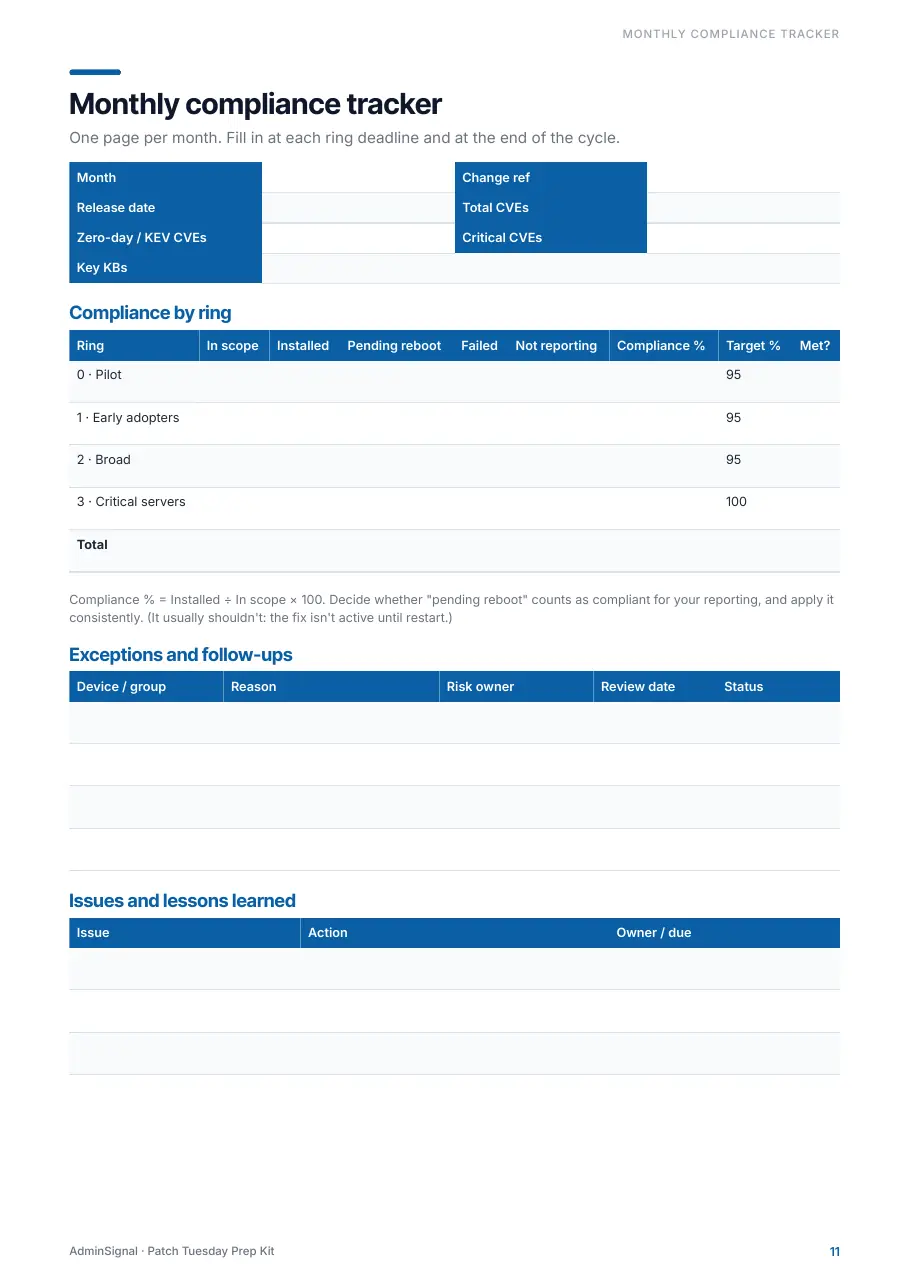
Monthly compliance tracker
One page per month: release facts, compliance by ring against target, exceptions with risk owners and review dates, and lessons learned.
Get-PatchReadiness.ps1
A read-only readiness report for one machine or a whole ring: build and UBR, last hotfix, pending reboot sources, free space on C:, Windows Update service state and uptime. Optional CSV export.
In the zip
- Patch-Tuesday-Prep-Kit.pdf
- Get-PatchReadiness.ps1
- Rollback-Runbook.md
- Email-Templates.md
- README.txt
Look inside
Real pages from the PDF
Six of the twelve pages. Select one to see it full size.
Your month, mapped
From T-7 to the last straggler
Every step is tied to a day relative to release, so the plan works whichever date the second Tuesday falls on.
T-7
Close last month, review lessons learned, raise the change.
T-5
Check pilot membership and run the readiness script against the pilot ring.
T-3
Confirm triage cover, the escalation path and who can authorise a pause.
T-1
Pre-stage ADRs, update rings and patch lists. Send the change notice.
Release evening
Triage with the checklist, record the decision, release to pilot.
T+1 to T+7
Watch the pilot against the gates, widen to early adopters, then broad.
T+7 to T+21
Critical servers in their windows, chase stragglers, send the completion email.
Tool-agnostic
Notes for the tool you actually deploy with
Configuration Manager
- One collection per ring, maintenance windows on servers
- ADR scheduled relative to Patch Tuesday, or phased deployments
- Which client logs to read when installs fail
Microsoft Intune
- One update ring policy per ring with deferrals and deadlines
- Expedited quality updates for the zero-day path
- Pause and uninstall quality update during a rollback
Tanium
- Computer group per ring with Patch maintenance windows
- Staggered deployments from one monthly patch list
- Blocklists to hold a problem KB while you investigate
WSUS
- Decline or unapprove per computer group to stop the spread
- Re-approve once the fix or workaround is in place
- Same checklists and gates as every other tool
Already read the free guide?
Patch Tuesday Operations for Intune and Windows Update for Business stays free. It explains the operating model. The kit is the part you print, edit and run every month, with the tools the guide does not cover.
| What you get | Free guide | Kit |
|---|---|---|
| Ring promotion model and hold criteria | ||
| Printable pre-release and release-day checklists | – | |
| MECM, Tanium and WSUS pause and rollback steps | – | |
| Editable rollback runbook (Markdown) | – | |
| Change-notice and completion email templates | – | |
| Monthly compliance tracker | – | |
| Get-PatchReadiness.ps1 readiness report | – |

Who made it
Jack Hadcroft
I work with Configuration Manager, Tanium, Intune and Windows patching every month. This kit packages the checklists and templates I use to keep Patch Tuesday calm and predictable, written so they work whichever tool your estate runs on.
More about AdminSignalQuestions
Who is this for?
Windows sysadmins and endpoint engineers who own monthly patching for workstations and servers, whether that is a handful of rings in Intune or several thousand devices in Configuration Manager or Tanium. If you already have a mature patching process, it works as a cross-check and a set of templates you no longer have to maintain.
What exactly do I download?
A zip with five files: the 12-page PDF playbook, Get-PatchReadiness.ps1, Rollback-Runbook.md, Email-Templates.md and a README with the licence. The Markdown files open in any text editor and paste cleanly into Confluence, SharePoint, a wiki or a ticket.
Does the script change anything on my devices?
No. Get-PatchReadiness.ps1 only reads the registry, CIM/WMI and service state. It runs on Windows PowerShell 5.1 or PowerShell 7 with no extra modules. Remote targets are queried with Invoke-Command, so they need PowerShell Remoting and admin rights. Review it before you run it, as you would any script.
Can my whole team use it?
Yes. One purchase covers a single user or one team inside your organisation, and you can edit everything for internal use. For several teams or an organisation-wide licence, get in touch. Please do not republish or resell the kit.
Can I expense it? Do I get an invoice?
Yes. Checkout runs on Stripe, sold through Link, which acts as the merchant of record. You get a receipt and an invoice PDF by email, with VAT or sales tax handled for your country. At £19 it usually fits under a card-spend or no-PO threshold.
What if it does not help?
Email hello@adminsignal.com within 30 days of purchase and you get a full refund. No forms.
I lost the download. Can I get it again?
The download page works for 7 days after purchase in the browser you bought with. After that, reply to your receipt or email hello@adminsignal.com and the kit will be sent to you again. Minor version 1 updates are free.
Is AdminSignal affiliated with Microsoft or Tanium?
No. AdminSignal is an independent publication. Microsoft, Windows, Intune and Configuration Manager are trademarks of Microsoft Corporation, and Tanium is a trademark of Tanium Inc.
Provided as is, without warranty. Review and test every script, command and procedure in your own environment before production use. See the terms and privacy policy.
Make next Patch Tuesday the calm one
£19 once, for you or your team. Instant download, with a 30-day money-back guarantee if it does not earn its place.