
Windows 11 26H2 vs 25H2: What Changes for Admins and When to Move
Updated 18 October 2026What changed
Checked against Windows 11 release information, the 26H2 release health status page (13 October 2026 entries), KB5121794, What's new in Windows 11 version 26H2, and Microsoft's IT pro guide to 26H2.
On this page13 sections
Disclosure and evaluation basis
This comparison is written for authorised IT administrators evaluating tools for business environments. Editorial conclusions are independent: advertisers, sponsors, and vendors do not control verdicts or recommendations.
We evaluate operational fit, deployment effort, permissions and security model, supportability, rollback options, documentation quality, and licensing clarity. Pricing, packaging, features, support terms, and availability can change, so verify current details with the vendor before purchasing or renewing.
Pilot 26H2 on 25H2 Enterprise and Education fleets now and widen on your normal schedule: it adds a year of support and turns on three commercial defaults. Move 24H2 devices straight to 26H2. 26H1 hardware and 23H2 are not on this path.
This comparison is for endpoint admins deciding whether to move managed Windows 11 25H2 devices to 26H2 now, later, or not yet. It covers what actually differs, what only looks different, and the release-health items to clear before a ring moves.
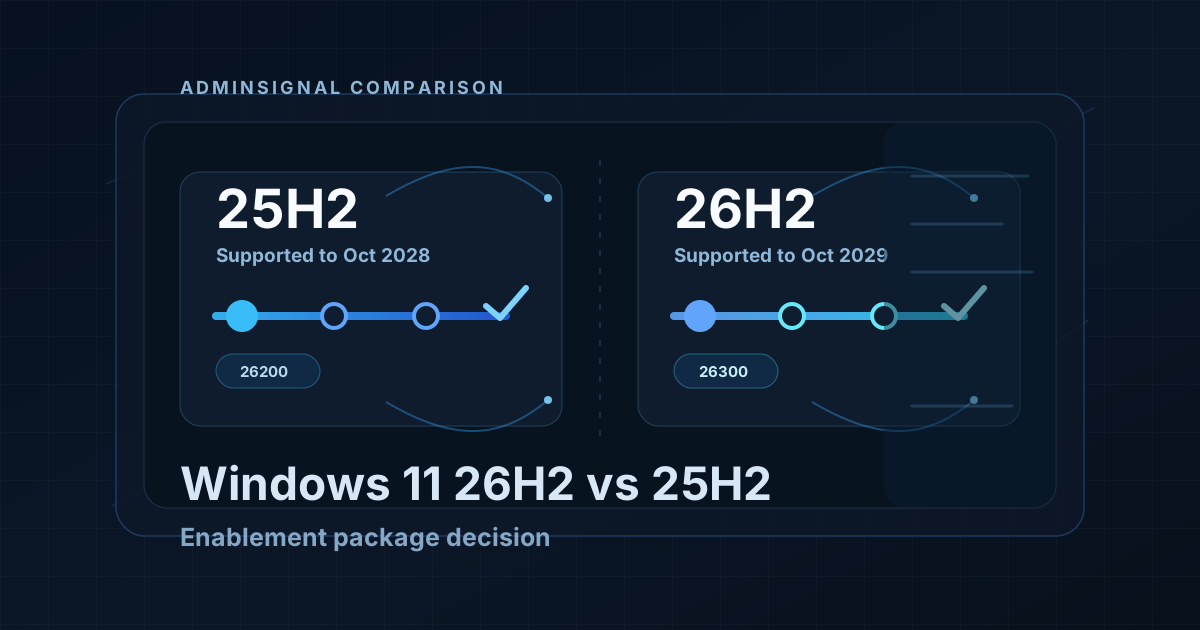
The short answer: 26H2 and 25H2 run the same code. Microsoft's What's new in Windows 11, version 26H2 says 26H2, 25H2 and 24H2 share a common servicing branch, so most of the 26H2 feature list has already reached 25H2 through monthly updates. Version 26H2 "enables selected features and resets the support lifecycle". The decision is about support dates and commercial defaults, not a new platform.
Quick comparison: Windows 11 26H2 vs 25H2
| Admin question | Windows 11 25H2 | Windows 11 26H2 | Practical answer |
|---|---|---|---|
| Availability | 2025-09-30 | 2026-09-29 | Both are current General Availability Channel releases |
| OS build family | 26200 | 26300 | Report on build family, not on the cumulative update KB alone |
| Latest build (October 2026) | 26200.9711 | 26300.9711 | Same monthly update, KB5127648, on both |
| End of updates: Home and Pro | 2027-10-12 | 2028-10-10 | 26H2 adds a year for unmanaged and Pro estates |
| End of updates: Enterprise and Education | 2028-10-10 | 2029-10-09 | 26H2 adds a year for managed estates |
| How you get there | Feature update from 24H2 | KB5121794 enablement package from 24H2 or 25H2 | Small download; a single restart in most scenarios |
| Prerequisite | Not applicable | KB5124010 (22 September 2026 preview) or a later cumulative update | Patch first, then offer the feature update |
| Settings backup, taskbar app actions, File Explorer enhancements | Under temporary commercial control | On by default for commercial devices | The one behaviour change you must validate against policy |
| Hotpatch | October 2026 baseline, then hotpatch months | October 2026 baseline, then hotpatch months | No difference in the calendar |
| Intune feature update target | Hold devices here with an explicit 25H2 policy | Offer it with an explicit 26H2 policy to a pilot group | Never rely on "latest" for this decision |
Dates and builds come from Microsoft's Windows 11 release information, checked on 18 October 2026.
What actually differs
Three things change when a 25H2 device takes the enablement package. Everything else in the 26H2 announcement either arrived on 25H2 already or is off by default.
1. The support clock
Installing 26H2 resets the support lifecycle: 24 months for Home and Pro, 36 months for Enterprise and Education, per Microsoft's IT pro's guide to Windows 11, version 26H2. In dates, Enterprise and Education move from 10 October 2028 on 25H2 to 9 October 2029 on 26H2.
For a managed Enterprise fleet already on 25H2, that is a planning benefit, not an emergency. You have two years of servicing left on 25H2. The clock matters more for:
- Home and Pro devices still on 24H2. They reached end of updates on 13 October 2026. Moving them to 26H2 skips a step and gives them the longest runway.
- Enterprise and Education devices on 24H2. Their servicing ends 12 October 2027. Going straight to 26H2 with the enablement package is a valid path; you do not need to stop at 25H2 first.
2. Commercial defaults that switch on
Microsoft lists three capabilities that sat behind temporary commercial controls on 25H2 and are enabled by default for commercial devices on 26H2:
- Windows settings backup. Microsoft states existing administrator-configured policies continue to be honoured. If you have no policy, the default changes. Review the Windows settings backup configuration before the pilot, not after the helpdesk asks why settings followed a user.
- App-specific actions from the taskbar.
- File Explorer enhancements focused on navigation and usability.
Some of these have eligibility requirements, so not every device shows every change. Your pilot should record what users actually see on your hardware and licensing.
3. Machine Identity Isolation is honoured
The 26H2 release health page explains that 26H2 enables the Machine Identity Isolation feature and begins honouring any existing or policy-provisioned enforcement settings. Enforcement is only supported against domain controllers at Windows Server 2025 domain functional level. On older domains, Credential Guard protected machine accounts lost their trust relationship.
Microsoft resolved this in KB5124010 by preventing Machine Identity Isolation enforcement entirely while the feature is improved, regardless of configuration. Because that update is also the enablement package prerequisite, a correctly patched 26H2 device will not hit the original failure. If you set Machine Identity Isolation through Intune, Group Policy or the registry in the past, record that now, because enforcement may return in a later update.
What does not differ
These come up in 26H2 coverage, but they are not reasons to choose one version over the other:
- Cross-signed driver trust removal. It arrived with the April 2026 cumulative update on 24H2 and 25H2. See cross-signed driver trust removal for the evaluation and enforcement window.
- WMIC removal. Microsoft lists it under 26H2, but WMIC is already removed from 24H2 and later and is not available as a Feature on Demand.
- Administrator protection and built-in Sysmon. Both are off by default and turned on by policy, so moving to 26H2 does not switch either on. The Windows security baselines for 24H2, 25H2 and 26H2 all enable Administrator protection.
- Known issues. Every open item on the 26H2 release health page also lists 25H2 as affected. Moving does not avoid them, and staying does not protect you from them.
- Monthly updates. Both versions take the same cumulative update on the same day, with matching revision numbers (26200.9711 and 26300.9711 in October 2026), and both follow the same hotpatch calendar.
Known issues to check before you move
The table reflects the 26H2 release health page as updated on 13 October 2026. Check it again the morning you assign or widen a ring.
| Issue | Status | Affects 25H2 too | What to do |
|---|---|---|---|
| Remote Desktop fails for non-admin users with error 0xC000000D when the host has Administrator protection enabled | Mitigated | Yes | Microsoft's workaround is to turn off Administrator protection on affected RDP hosts. The Windows 11 security baselines for 24H2, 25H2 and 26H2 enable it by default, so check your baseline before blaming 26H2 |
| USB Audio Class 1.0 devices fail to start (Code 10) or produce no sound | Mitigated | Yes | Include any USB audio hardware your users rely on in the pilot |
| Black screen or desktop not loading after sign-in, mainly AVD hosts with FSLogix | Resolved | Yes | Fixed in KB5127648 (October 2026). Make sure AVD hosts have it before they take 26H2 |
| Apps that need AC-3 audio decoding close unexpectedly | Resolved | Yes | Fixed in KB5127648 (October 2026) |
| Domain-joined devices lose the domain trust relationship (Machine Identity Isolation) | Resolved | Yes | Fixed in KB5124010, the enablement package prerequisite |
Who should move now, and who should wait
| Device group | Recommended handling | Reason |
|---|---|---|
| Home or Pro on 24H2 | Move to 26H2 after a short pilot | Already out of updates since 13 October 2026; 26H2 gives the longest support |
| Enterprise or Education on 24H2 | Plan the move to 26H2 directly | Servicing ends 12 October 2027; the enablement package goes straight from 24H2 |
| Enterprise or Education on 25H2 | Pilot now, widen on your normal feature update schedule | Supported to 10 October 2028; the gain is a year of runway, not a fix |
| RDP hosts with Administrator protection and non-admin users | Hold until the 0xC000000D issue is resolved, or apply the documented workaround | The issue is mitigated, not fixed, and also affects 25H2 |
| 26H1 hardware | Leave on 26H1 | Different Windows core; the 26H2 enablement package does not apply. See 25H2 vs 26H1 |
| 23H2 or older | Upgrade to a supported version first | The enablement package needs 24H2 or 25H2. 23H2 Enterprise and Education servicing ends 10 November 2026 |
Intune, WUfB and WSUS targeting
The mechanics are the same as any feature update. What is easy to get wrong is the prerequisite and the assumption that "latest" means what you think.
- Hold the broad estate explicitly. Keep a feature update policy set to Windows 11, version 25H2 on broad rings until the pilot reports. See Intune feature update policies.
- Gate on the prerequisite. The enablement package needs KB5124010 or a later cumulative update. A device that is behind on monthly updates will not take it, and operators will see a stalled offer.
- Offer 26H2 to one pilot group. Create a separate feature update policy for Windows 11, version 26H2 and assign it to a named pilot group with a named owner.
- WSUS. Per KB5121794, the update syncs under product Windows 11, classification Upgrades, named "Windows 11, version 26H2".
- Settings backup policy. Decide before the pilot whether Windows settings backup should stay on, be configured, or be turned off for your tenant.
For ring design and deferrals, use Intune Windows Update rings and WUfB. For the full pilot gate, including Autopatch, see the 26H2 enablement package pilot gate.
Validation on the device
After the restart, confirm the version and build from the registry rather than from a portal that may lag:
Get-ItemProperty 'HKLM:\SOFTWARE\Microsoft\Windows NT\CurrentVersion' |
  Select-Object DisplayVersion, CurrentBuild, UBR
Expected output on a 26H2 device with the October 2026 update is DisplayVersion 26H2, CurrentBuild 26300 and UBR 9711 or later. A device that still reports 26200 took the cumulative update but not the enablement package.
To record whether Machine Identity Isolation was ever configured, check the two registry locations Microsoft names on the release health page:
$paths = @(
  'HKLM:\SYSTEM\CurrentControlSet\Control\Lsa',
  'HKLM:\SOFTWARE\Policies\Microsoft\Windows\DeviceGuard'
)
foreach ($path in $paths) {
  Get-ItemProperty -Path $path -Name MachineIdentityIsolation -ErrorAction SilentlyContinue |
    Select-Object PSPath, MachineIdentityIsolation
}
No output means neither value is set. A value of 2 means enforcement was configured; KB5124010 currently prevents it, but note the device for when Microsoft re-enables the feature.
When not to move to 26H2 yet
- The pilot has not reported. A small download is not the same as a validated change.
- The ring includes RDP hosts with Administrator protection and non-admin users, and you have not applied the workaround.
- Devices are behind on monthly updates. Fix the prerequisite first.
- The ring depends on USB Audio Class 1.0 devices you have not tested.
- The device is on 26H1. It is a different core and has no path to 26H2.
Pilot checklist
- Inventory devices by
DisplayVersionand edition: 24H2, 25H2, 26H1, 23H2 or older - Confirm pilot devices have KB5124010 or a later cumulative update
- Decide the Windows settings backup policy before the pilot starts
- Include representative hardware, USB audio, AVD hosts and RDP hosts if they are in scope
- Read the 26H2 release health page the morning you assign the pilot policy
- Record
DisplayVersion,CurrentBuildandUBRafter the restart - Get a sign-off from line-of-business app owners
- Read release health again the morning you widen
Rollback
Microsoft's KB5121794 article does not document a way to remove the enablement package. Plan rollback as containment: keep broad rings on the explicit 25H2 policy so a problem stops at the pilot, and use Microsoft's Known Issue Rollback policies where the release health page offers one. Limit the blast radius before the change, because there is no documented undo after it.
Final recommendation
- Enterprise and Education on 25H2: pilot 26H2 now and widen on your normal feature update schedule. You gain a year of support and accept three commercial defaults. Nothing forces the move before 2028.
- Anything on 24H2: go straight to 26H2 with the enablement package. Home and Pro devices are already out of updates.
- 26H1 hardware and 23H2: not on this path.
The trade-off is small in both directions. The real risk is the environment-specific items: RDP hosts with Administrator protection, USB audio, settings backup policy. Validate those in the pilot.
Primary Sources
- Windows 11 release information
- Windows 11, version 26H2 known issues and notifications
- KB5121794: Feature update to Windows 11, version 26H2 by using an enablement package
- What's new in Windows 11, version 26H2
- An IT pro's guide to Windows 11, version 26H2
- Intune feature update policies
Related Reading

Jack Hadcroft
LinkedInBand 6 Endpoint Specialist and author of AdminSignal
Technical claims are reviewed against current Microsoft documentation. Lab or tenant checks are named only when they were done.
Independent publication. About · Editorial policy